

Create a template
Walk through the template editor, from choosing a category and venue to submitting your listing for review.
Open Templates → Create a template in the dashboard. You pick where it runs, write the strategy in words, and choose how it runs. The steps are Category → Where it runs → Strategy → How it runs → Listing → Test → Submit.
You need creator access. Without it, the Templates page shows the catalog and your private templates, but no Create a template button.
Choose where it runs
Category
Pick what the agent does with money: Trade, Predict or Earn. A category with no venue open to creators yet shows Coming soon.

Where it runs
Pick the venue, for example Veranta or Hyperliquid for Trade, Polymarket for Predict, or Yield.xyz vaults for Earn. Select a card, then Continue.
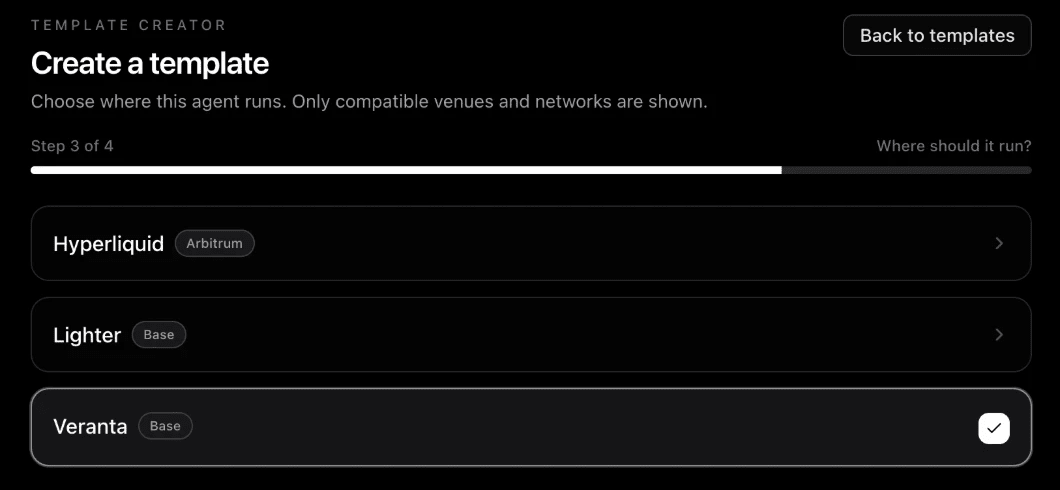
Picking another venue later starts the strategy fresh, because data and tools differ per venue.
Write the strategy
Strategy
Write your strategy in plain words, the way you would explain it to a trader: which markets, when it enters, when it exits or holds, how big it bets and how much it may lose, and when it waits. Name the data and tools it reads with @. There are no separate market or risk settings: everything the agent needs is in these words. Nothing is enforced for you: if you want a stop on every entry or a per-trade cap, write it here.

This is the most important step. See Write your playbook and Data and tools.
How it runs
Choose how often the agent checks in (every 3, 5, 10, 15 or 30 minutes, or every 1 to 24 hours) and which model decides: Claude Haiku, Sonnet or Opus, with an optional stronger model as a second opinion. The agent asks the second opinion once on a check-in where it plans to open or add to a position. Each choice shows its price a day.
The box on this step shows one Starting price for the template, tools included, and says that real runs set the final price. Once the template is saved it shows Price now instead. See A template's price.
Listing
Write what owners see: a Name (3 to 120 characters) and a Short description (8 to 500 characters). Suggest name and description can draft them for you; it uses your credits.
Then answer Who can read your strategy: Public strategy or Private strategy. Nothing is picked on a first listing, and you cannot go on until you choose. See Who can read your strategy.
Test
Deploy a private test agent of the version you saved and watch it run before anyone else can deploy it. A template is not replayed on past check-ins. See Test your template.
Submit
Check your choices, including who can read your strategy (select Change to switch it), then select Submit for review. If a check fails, the step lists what to fix.
From Strategy to Listing, Next saves your work, so a problem with the template shows right away under the step.